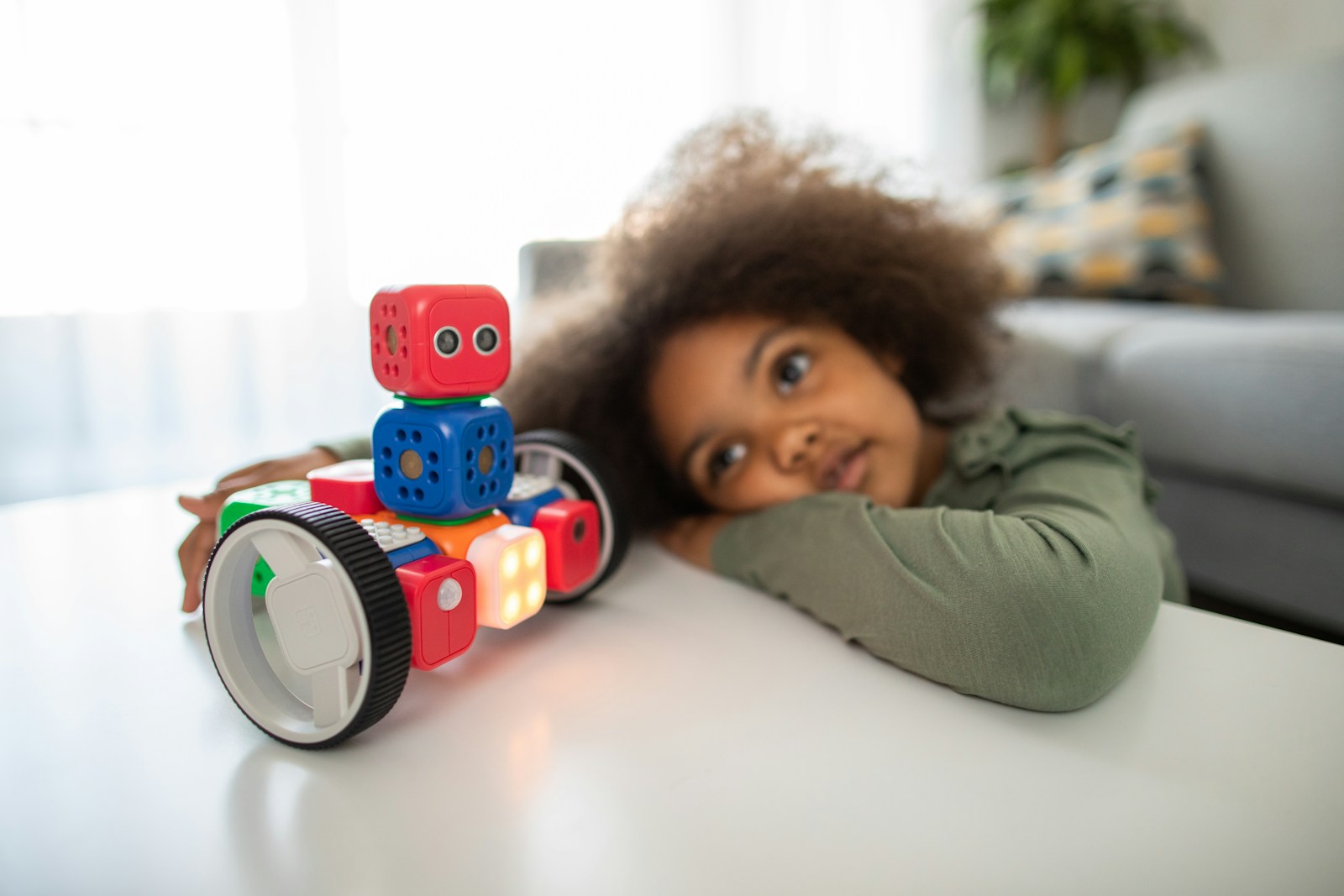
If your kid lights up at the words “build” and “code,” you’re in the right place. Robotics for kids isn’t just about cute bots scooting around: it’s a hands-on way to learn problem-solving, coding logic, and engineering basics, without feeling like assignments. In this guide, you’ll find the best entry-level robot kits of 2026, chosen for real-world play, clear learning paths, and long-term value. Whether you want screen-free tinkering for a 6-year-old or a smooth path from blocks to Python for a tween, you’ll leave with a confident pick.
Who These Kits Are For
You’re shopping for a first robot kit that’s actually fun, not frustrating. The picks below fit:
- Kids roughly 5–12 who are new to robotics and coding.
- Parents and educators who want a guided, age-appropriate learning curve.
- Families seeking clear next steps, block-based coding now, text-based later.
If your child already codes in Python or wants competition-level robotics, these will feel basic. But for most beginners, they strike the right balance of buildability, durability, and a learning curve that builds confidence fast.
How We Chose and Tested
We focused on one simple question: will a typical kid succeed and stay curious? To answer that, we spent hands-on time building, coding, and intentionally making mistakes (because kids will). Our evaluations centered on:
- First-build success: clear instructions, forgiving hardware, and satisfying results in under an hour.
- App quality and curriculum: stable apps, friendly block-based coding, clear progression to text-based coding where relevant.
- Hardware value: sensors that matter (distance, light, line-follow), solid motors, and real expandability (extra parts, community projects).
- Durability and support: battery life, spare parts availability, tutorials, and active forums or classroom resources.
- Privacy and safety: kid-friendly accounts, transparent data practices, and strong Bluetooth/Wi‑Fi controls.
We prioritized kits that have been consistently updated through 2025 and early 2026, with thriving communities and dependable support, so you’re not buying into a sunset product.
Best Entry-Level Robot Kits of 2026
Best Overall Starter Kit
Makeblock mBot2
If you want the best mix of build quality, coding depth, and price, mBot2 hits the sweet spot. It uses Makeblock’s mBlock app (block-based, Scratch-style) and lets you flip into Python when your child’s ready. Out of the box you get a solid chassis, a reliable ultrasonic distance sensor, line-follow capability, and classroom-tested lesson plans. The CyberPi brain is robust and well-documented, and the Wi‑Fi/Bluetooth connectivity supports classroom or home learning without fuss.
Why it wins: smooth setup, meaningful sensors, a real upgrade path (add-on packs, classroom curricula), and a community that makes troubleshooting easy. It’s approachable for 8–12-year-olds and still has headroom for more advanced projects.
Best Budget Kit
Sphero Mini Activity Kit
You want affordable, fun, and quick wins. The Sphero Mini Activity Kit delivers with bite-sized challenges, a reliable app, and block-based coding that ramps up from simple drive programs to sensor-powered mini games. It’s not a complex build platform, think “programmable smart ball with projects”, but it’s excellent for learning logic, loops, and conditionals without very costly.
Why it wins: low price, kid-proof hardware, and a polished app that encourages experimentation. Great for casual learning or as a stepping stone to a more buildable bot later.
Best Kit for Ages 5–7
Sphero indi
indi is designed for early learners who can thrive without screens at first. Kids place colored tiles on the floor to create routes and behaviors, indi reads the colors and responds. When they’re ready, the Sphero Edu Jr app opens up block-based coding to extend play.
Why it wins: screen-free discovery that genuinely teaches cause and effect, then an easy upgrade to coding. It’s sturdy, cute, and classroom-proven. Perfect for building confidence before keyboards enter the picture.
Best for Block-Based Coding
LEGO Education SPIKE Essential
For sheer clarity in block-based coding and structured lessons, SPIKE Essential is hard to beat. The LEGO app (Scratch-style blocks) guides kids through builds that blend storytelling with robotics, using a smart hub, reliable motors, and sensors. LEGO’s ecosystem is second to none for replacing parts and expanding builds.
Why it wins: top-tier instructions, smooth app experience, and timeless LEGO bricks that invite creativity. It’s ideal for ages 6–10 and pairs beautifully with classroom or homeschool lessons.
Best for Transitioning to Text-Based Coding
micro:bit (V2) with an Inventor’s Kit
If your goal is a gentle ramp from blocks to real code, a micro:bit board paired with an inventor’s kit (like the Kitronik or ELECFREAKS kits) is the cleanest path. Start with MakeCode blocks, peek under the hood to view JavaScript or Python, then move into MicroPython projects. Add motors, LEDs, and sensors to prototype simple robots, cars, and interactive gadgets.
Why it wins: transparent progression from drag‑and‑drop to typed code, low cost, and a massive global community. It’s also classroom-friendly and supported by countless tutorials.
Best Buildable Rover or Car Kit
Makeblock mBot Ranger
Ranger is a 3‑in‑1 transformable kit (rover, tank, and self-balancing vehicle) that introduces gearing, traction, and sensor-driven navigation. It codes in mBlock with the same friendly blocks as mBot2, with optional Arduino/C++ paths for the brave. The builds feel substantial, and the tracked modes handle carpet and obstacles better than most.
Why it wins: satisfying mechanical builds plus robust sensors, with room to grow. If your kid loves vehicles, Ranger delivers that “I built a real robot” thrill.
Best Open-Ended Creative Maker Kit
Strawbees Robotics with micro:bit
If your child loves inventing creatures, wearables, and kinetic art, Strawbees turns the micro:bit into a creative playground. Lightweight connectors, straws, and servos let kids prototype big ideas fast, bridges, waving arms, walking bugs, while coding in MakeCode. It’s less about polished bots and more about imagination and mechanism design.
Why it wins: huge creative range, approachable mechanics, and low-pressure prototyping that encourages iteration. Perfect for makers who prefer designing their own inventions over following a single manual.
Buying Guide: What to Look For
Age Ratings and Dexterity Requirements
Age labels aren’t just legalese: they signal build complexity and small-part safety. For 5–7, look for larger parts, simple connections, and screen-free or pictorial instructions (Sphero indi, LEGO SPIKE Essential). For 8–12, kits like mBot2 or Ranger introduce screws, sensor alignment, and calibration, great for patience and fine motor skills.
Coding Pathways and App Quality
A good entry-level kit starts with blocks and doesn’t dead-end there. Check that the app runs on your devices (Chromebook, iPad, Windows), stays connected over Bluetooth/Wi‑Fi, and offers challenges beyond “drive forward.” The best platforms let you switch to Python or JavaScript and include structured lessons or missions so your kid always knows what to try next.
Sensors, Motors, and Expandability
Distance sensing, line-following, and encoders make robotics feel real. Prefer kits with at least one meaningful sensor (ultrasonic or time‑of‑flight), a reliable motor driver, and open ports for add-ons. Expandability can mean extra build kits, additional sensors, or a vibrant project community you can copy and remix.
Battery Life, Charging, and Durability
You want 45–90 minutes of play between charges for younger kids, longer for older. USB‑C charging is a plus. Look for metal or reinforced plastic frames, protected cabling, and wheels/tracks that don’t slip. Replaceable parts matter, kids will stress-test everything.
Safety, Privacy, and Data Practices
Stick with brands that publish clear privacy policies and kid-safe account options. For connected kits, ensure you can control data sharing and firmware updates. Prefer local Bluetooth control for young learners: enable Wi‑Fi features only when needed and with supervision.
Price, Value, and Upgrade Paths
Budget kits are great for testing interest, but the best value comes from platforms that grow with your child, extra sensors, more complex builds, and a jump to text-based coding. A slightly higher upfront cost can save you from buying a whole new system in a year.
Setup and Parent Tips
Preparing Devices, Accounts, and Workspaces
Install the app and any firmware updates before telling your kid it’s “robot time”, nothing kills enthusiasm like a progress bar. Charge everything fully, clear a table for building, and have small containers ready for screws and parts. If a kit uses accounts, create a parent-managed login and skim privacy settings.
Ensuring a First-Build Success
Start with the shortest guided build or mission. Let your child do the tapping and turning, even if it’s slower. If something doesn’t work, model troubleshooting out loud: “Let’s check the cable orientation,” “What does the app’s sensor readout show?” Celebrate small wins: a working turn, a sensor-triggered stop. Momentum matters more than perfection on day one.
Keeping Kids Engaged Over Time
Add gentle challenges each week. Try a maze on painter’s tape, a line-follow course under the dining table, or a themed project (delivery bot, pet feeder prototype). Rotate between build days and code days so it never feels repetitive. And when interest dips, introduce a new sensor or accessory to spark fresh ideas.
Conclusion
Entry-level robotics for kids should feel like play first and learning second, because that’s how the best learning sticks. If you want a balanced, future-proof start, pick Makeblock mBot2. For younger makers, Sphero indi and LEGO SPIKE Essential are confidence‑builders with real educational depth. If your goal is a path to “real code,” the micro:bit plus an inventor’s kit can carry your child from blocks to Python without tears. And for kids who love wheels and gears, mBot Ranger delivers satisfying builds that grow with them.
Whichever kit you choose, set up a friendly workspace, aim for early wins, and keep projects bite-sized. The payoff isn’t just a rolling robot, it’s a kid who’s curious, capable, and ready to build the next one.
Frequently Asked Questions
What is the best entry-level robot kit for beginners in 2026?
For most families, Makeblock mBot2 is the best entry-level robot kit in 2026. It pairs solid build quality and useful sensors (ultrasonic, line follow) with a smooth path from block-based coding to Python. Setup is quick, the app is polished, and the community and lesson plans make troubleshooting and progress easier.
What ages are these robotics for kids kits best suited for?
These kits target roughly ages 5–12. For ages 5–7, choose screen-free or highly guided options like Sphero indi or LEGO Education SPIKE Essential. For ages 8–12, mBot2 or mBot Ranger add screws, calibration, and richer sensors, building fine motor skills and patience while keeping first-build success achievable.
How do I choose the right entry-level robot kit for my child?
Prioritize app quality and a clear coding pathway (blocks first, optional Python/JavaScript later). Look for meaningful sensors (ultrasonic or time‑of‑flight), reliable motors, expandability, and 45–90 minutes of battery life. Check device compatibility (Chromebook, iPad, Windows), spare parts availability, active communities, and transparent privacy controls for kid accounts.
Can my child transition from block-based coding to Python with these robotics for kids kits?
Yes. mBot2 lets kids start in Scratch-style blocks and flip to Python when ready. A micro:bit (V2) with an inventor’s kit offers a clear path: begin with MakeCode blocks, then view and edit JavaScript or Python, and move to MicroPython projects controlling motors, LEDs, and sensors for real-world builds.
How much do entry-level robot kits cost in 2026?
Expect budget kits around $50–$80 for quick, app-driven learning. Midrange, more buildable platforms typically run $120–$200, adding robust sensors and upgrade paths. Classroom-focused or premium ecosystems can reach $250–$350+. Prices vary by bundles, sensors, and education licensing, so compare what’s included and future expandability before buying.
Do these kids’ robot kits require Wi‑Fi, or can they work offline?
Most entry-level kits connect locally over Bluetooth and work offline once the app is installed. Wi‑Fi is usually optional for firmware updates, cloud saves, or classroom features. For younger learners, keep Wi‑Fi off by default and enable it only for updates; supervise any online account setup and data sharing.
No responses yet